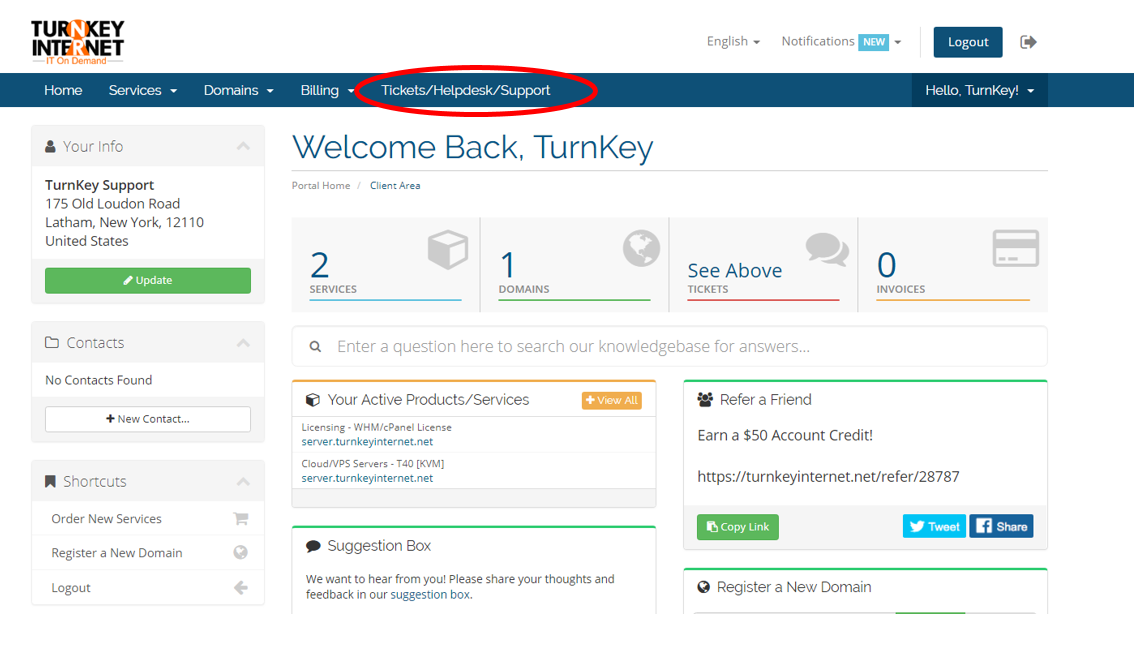
From the main TurnKey client area home page, locate the blue bar at the top of the page. Select “Tickets/Helpdesk/Support”
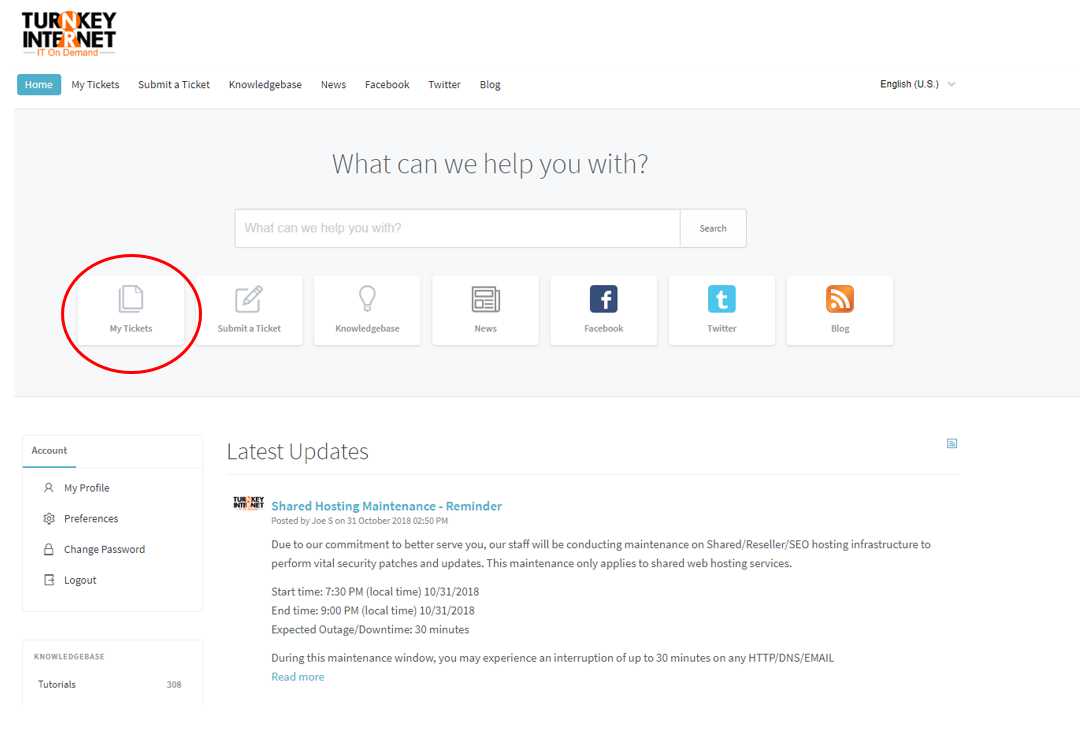
Select “My Tickets,” on the following page.
Select “View All Tickets”
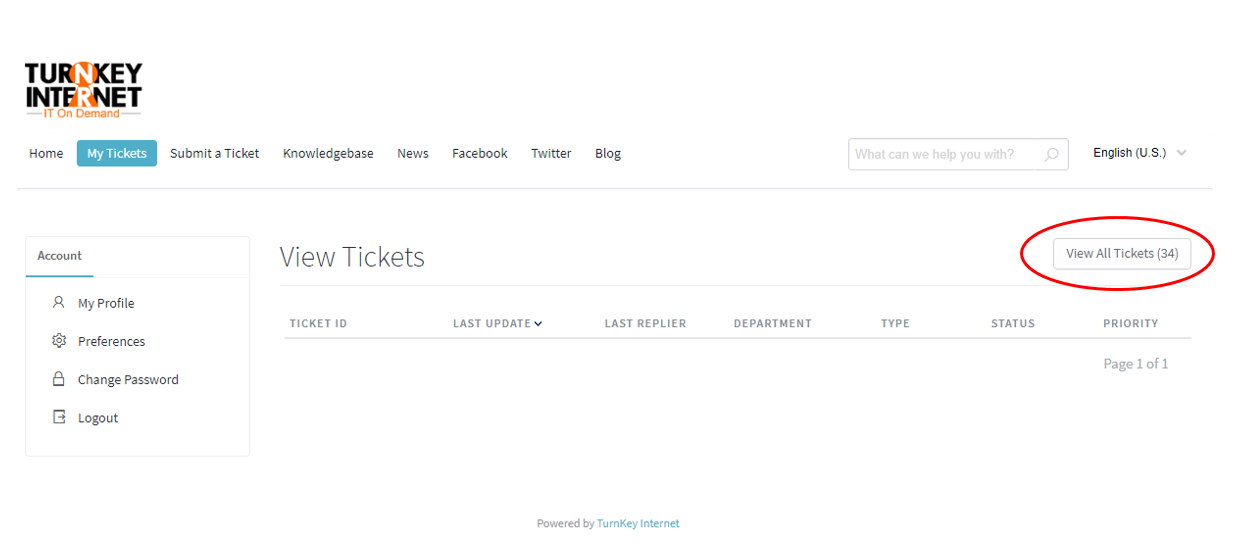
A list of all tickets ever opened will be displayed.

From the main TurnKey client area home page, locate the blue bar at the top of the page. Select “Tickets/Helpdesk/Support”
Select “My Tickets,” on the following page.
Select “View All Tickets”
A list of all tickets ever opened will be displayed.
